Skip to content

Nº 39

This week at Roark

October 19 to 25, 2026

This week was about running Roark from your own code and your own tools, instead of clicking through ours. Five things landed in that direction, and I think the shape of the platform is finally where I wanted it.


01

Config as Code in TypeScript

You can now author your entire Roark config in TypeScript, with typed references and autocomplete, and ship it with the same CLI you use for YAML.
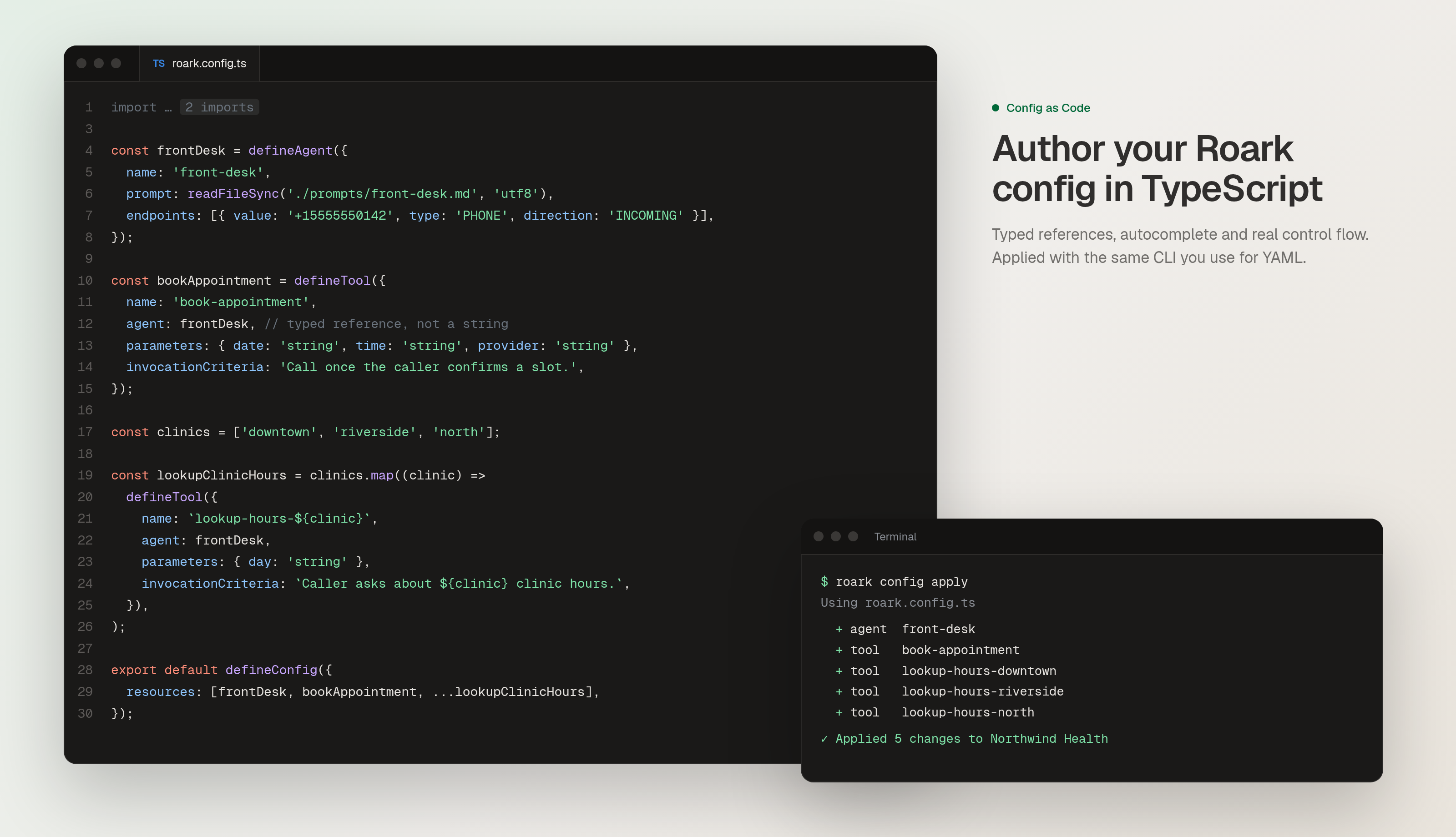
Config as Code authored in TypeScript

What's new:

  • Author agents, tools, flows and plans in typed TypeScript, with inline prompts and autocomplete across the whole config.
  • Reference other entities by variable instead of string names, so a rename or a typo surfaces before you deploy.
  • Apply from the CLI the same way you do YAML, with a diff preview before anything changes in your project.
👉 Read the TypeScript authoring guide


02

Analytics and Dashboards over the API

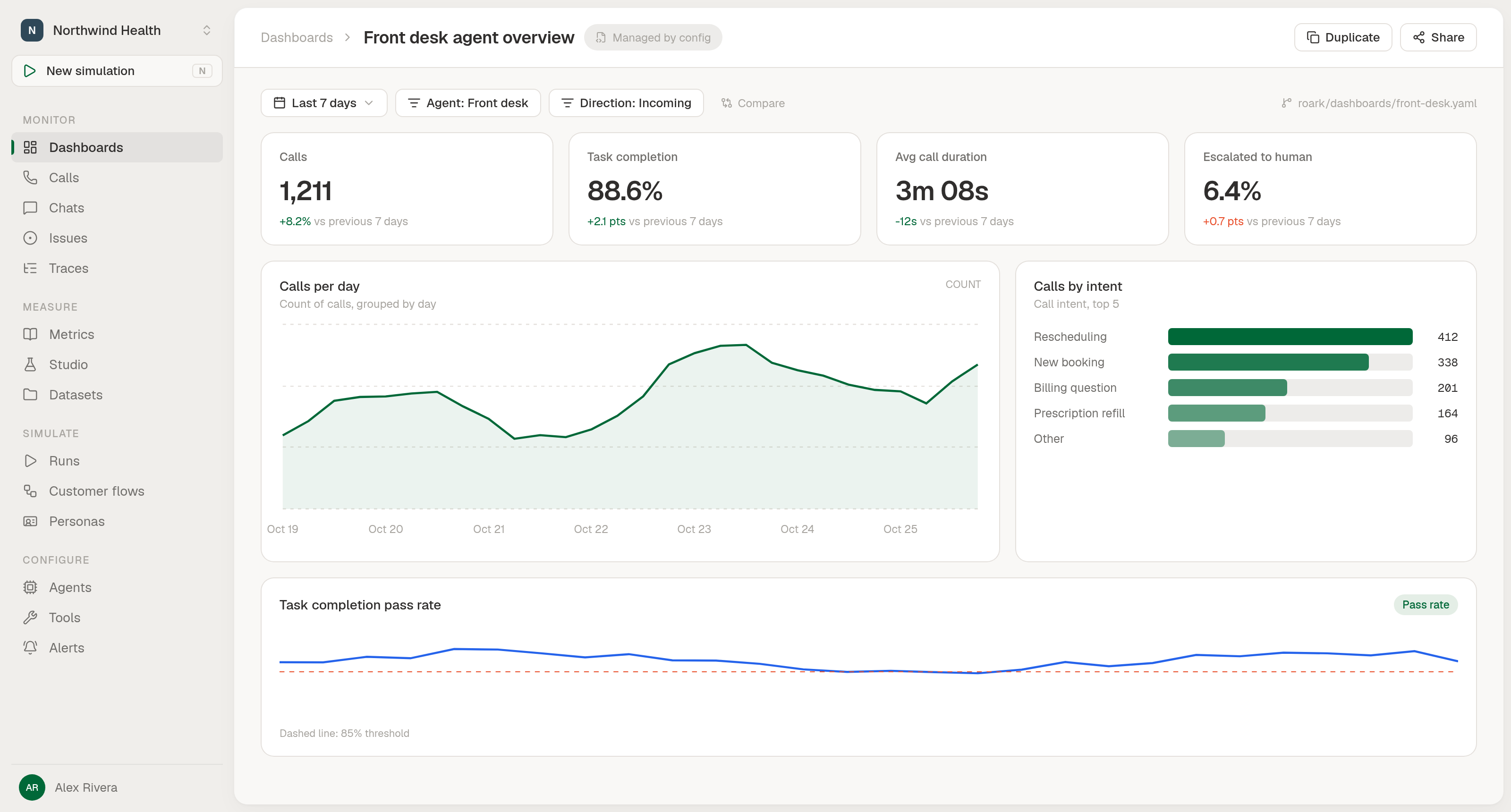
Your agents and your CI can now read the same numbers your dashboards show, define dashboards in code, and have a widget's query round-trip cleanly between the API and the platform.

Analytics and dashboards over the API

What you can do:

  • POST /v1/analytics/query for ad-hoc analytics, with GET /v1/analytics/schema so an agent or script can build a valid query on the first try (metrics, filters, breakdowns, intervals, display types).
  • /v1/dashboard CRUD plus /data and per-widget /data to create dashboards, edit single widgets by name, and run every widget server-side.
  • kind: dashboard in Config as Code, so a dashboard defined in git shows a Managed by config pill in the platform and stays in sync on every apply.

👉 Read the analytics API guide


03

Email and Slack delivery for simulation plan reports

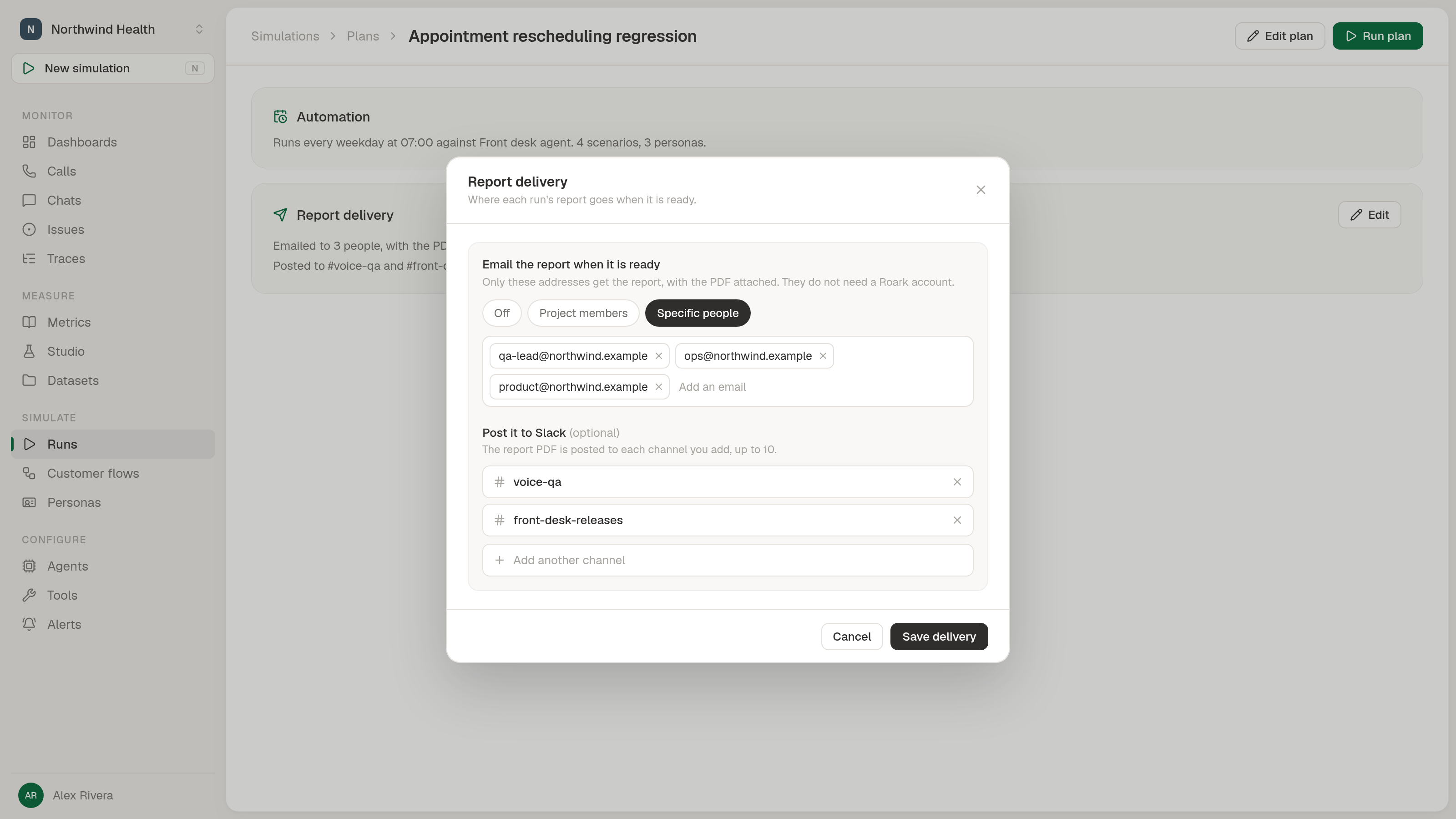
Simulation plans can now send each run's Debrief by email (PDF attached) and post it to Slack (PDF uploaded into the thread), using the same shape saved groups already use.

Simulation plan report delivery over email and Slack

What's new:

  • Define recipients once on the plan, in config or on the Report delivery panel in the dashboard, with up to 50 email addresses (no Roark account required) and 10 Slack channels.
  • Run a saved plan by its config key, not just by its UUID, so your CI step and your YAML stay name-based end to end.

👉 See the report delivery docs


04

Project-scoped spend access, plus cost per call and per run

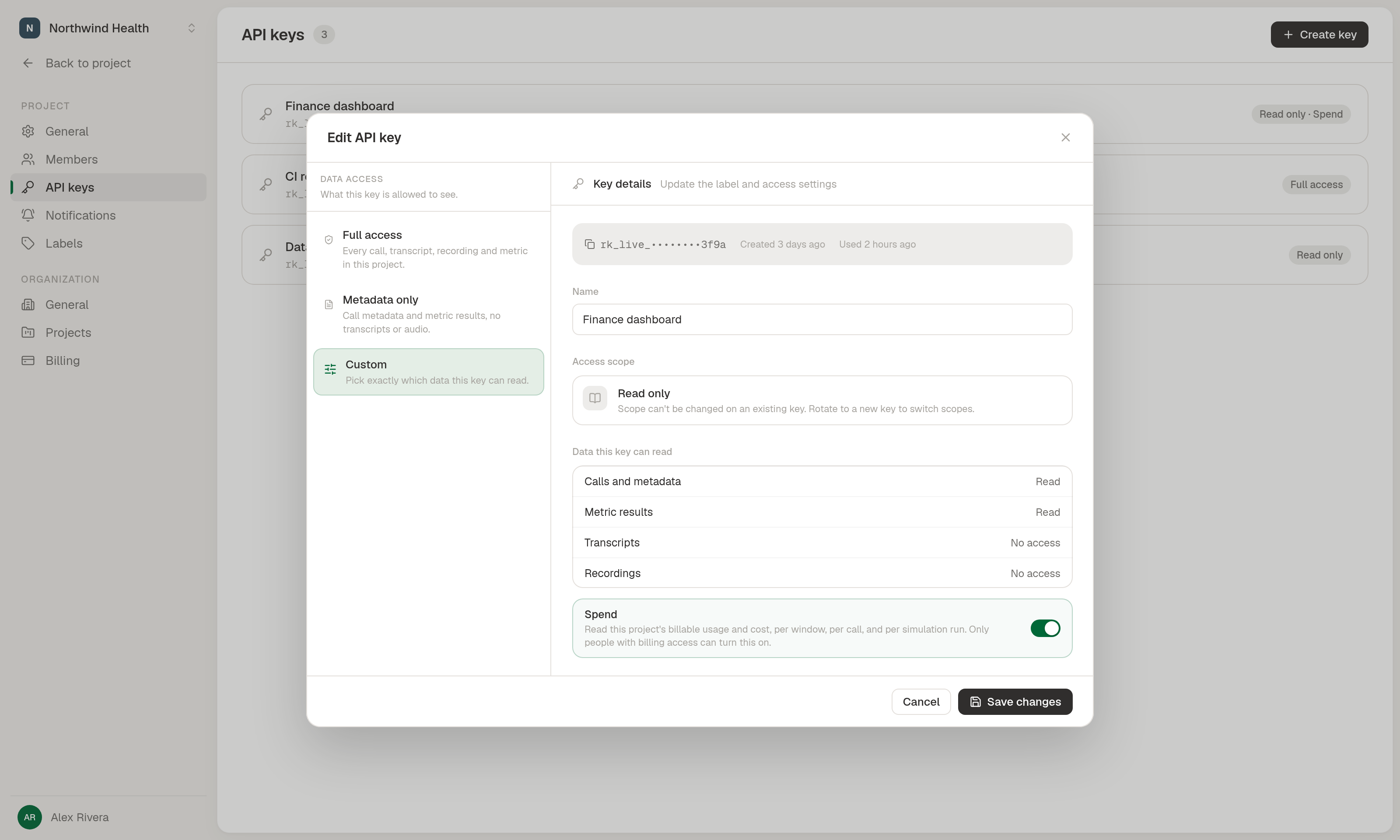
You can now pull Roark spend into your own dashboards with a project-scoped credential that reads only its project's cost, and break spend down to a single call or a single simulation run.

Project-scoped spend access with per-call and per-run cost

What's new:

  • GET /v1/usage with a project API key that holds the new billing:read grant: scoped to that project, with a 403 (never a silent retarget) if a caller names another project.
  • GET /v1/call/{callId}/cost returns a call's billable spend by source and surface, with the cost lines the Cost tab already shows.
  • GET /v1/simulation/plan/job/{jobId}/cost returns a run's total spend plus per-simulated-call cost.

👉 Read the usage reporting guide


05

Voice Consistency by Sentence

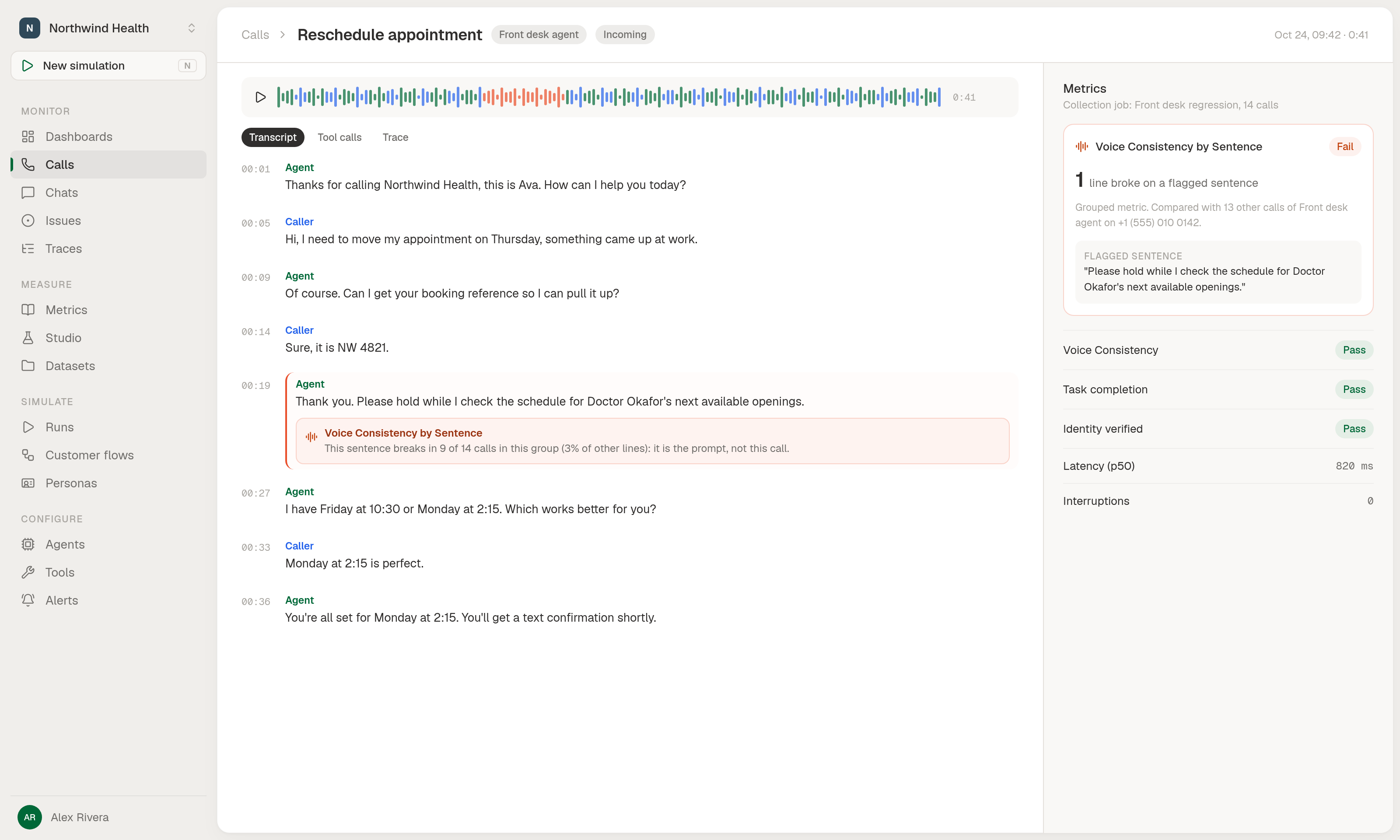
A new grouped metric that catches voice problems only visible across calls: one sentence of your prompt read in a different voice in most calls, while any single call looks fine.

Voice Consistency by Sentence results view

How it works:

  • Add Voice Consistency by Sentence (or its check) to any metric collection job of 6 or more calls, and Roark groups lines by normalised sentence, flags any that break far more often than the rest of the group, and writes a per-turn explanation pointing at the sentence as the likely source.
  • Calls are compared only within the same agent and endpoint, so an A/B test on two numbers doesn't pollute the baseline.
  • Deterministic, so it's free to run alongside your existing metrics.

From

James