Skip to content

Nº 40

This week at Roark

October 26 to November 1, 2026

For the week of October 26 to November 1, 2026, four things worth sharing: API Check metrics that grade what actually happened in your backend, the Voice AI Benchmarks launch with a rebuilt Live Bench, thresholds and metric-value filters in config as code, and named MCP tools for Claude. All live now.


01

✅ API Check metrics

Grade what actually happened in your backend, not just what the agent said. Every other judge reads the transcript, so an agent that confidently says "your PIN has been updated" after a failed tool call passes them all. API checks ask your own endpoint whether the call really succeeded.
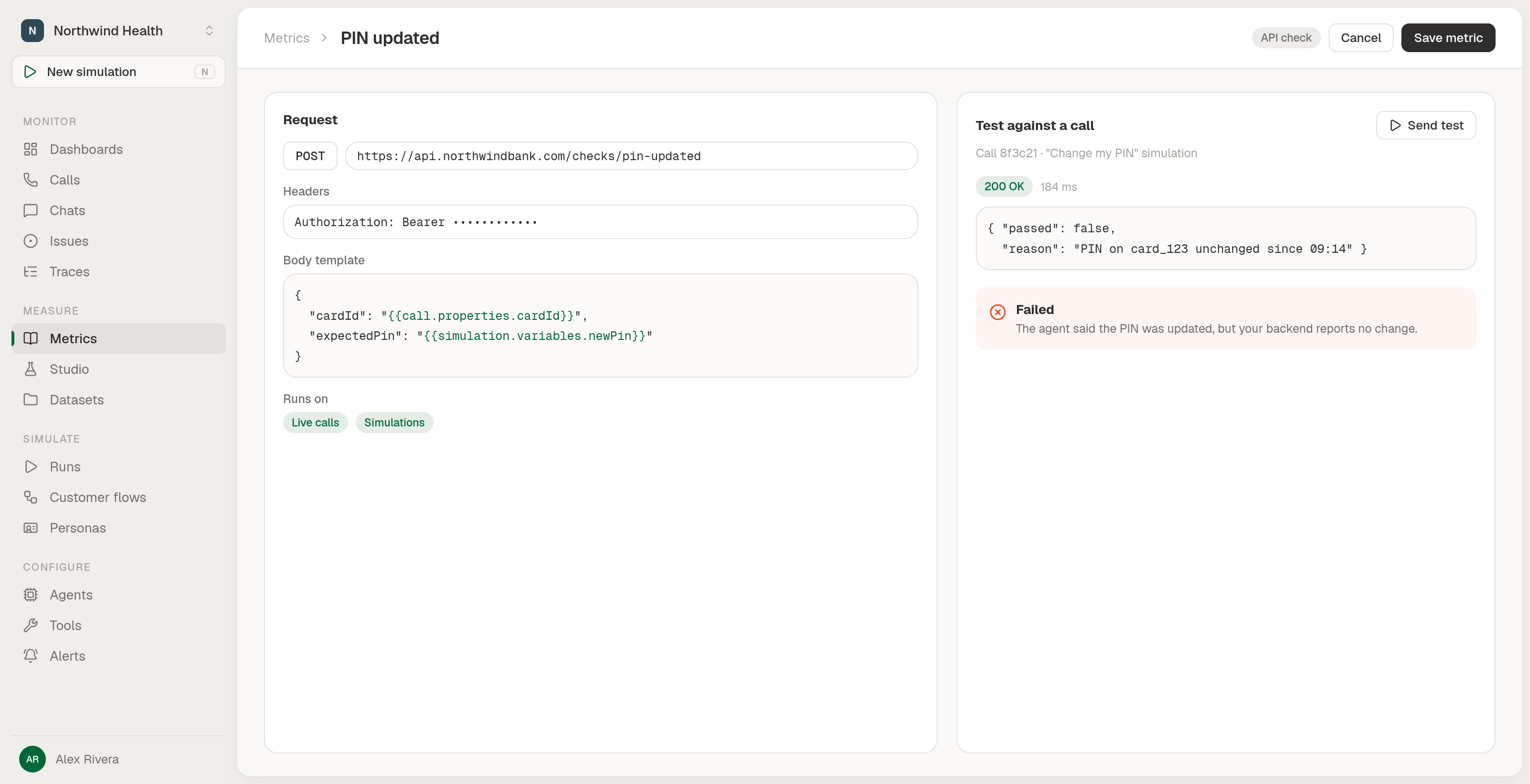
API check metric configuration

How it works:

  • Point it at your endpoint: URL, method, headers and an optional JSON body, with call or simulation values filled in through {{call.properties.cardId}} or {{simulation.variables.newPin}} placeholders.
  • Pass or fail with a reason: your endpoint answers { "passed": true | false, "reason": "..." }, and errors on your side (timeouts, 5xx) are recorded as errors, not fails, so your pass rate does not track your endpoint's uptime.
  • Runs on live calls and simulations: alongside threshold, pattern, formula and LLM judge metrics, with no extra setup.

Also available in config as code (calculationType: HTTP_REQUEST).
👉 Read the API Checks guide


02

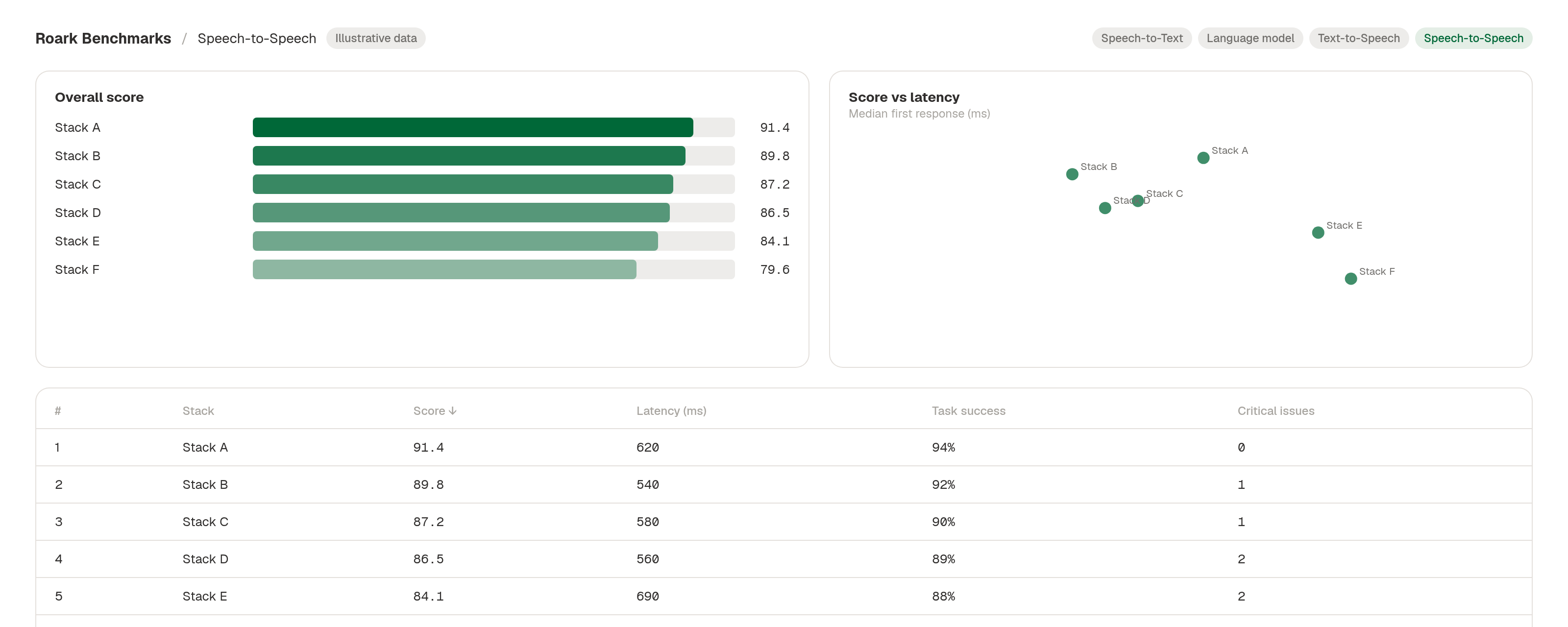
🏁 Live Bench rebuilt, Voice AI Benchmarks launched

Each board (Speech-to-Text, Language model, Text-to-Speech, Speech-to-Speech) now shows a ranked chart, a sortable table and trade-off charts, with every figure visible at a glance. The launch post is live at roark.ai/blog/voice-ai-benchmarks.

Benchmark board layout (illustrative data)

Also this week on the bench:

  • Grok Voice 3.0 added as a speech-to-speech stack beside 2.0.
  • GPT-6 Luna and Sol running on the GPT Live stacks at medium effort.
  • Smarter tool-use grading: a narrated "checking that now" that ends in an honest "I can't" is a minor issue, not a critical hallucination. Confident false outcomes stay critical.
  • Score hover on the board tables shows the full points-per-figure breakdown.

👉 Browse the boards


03

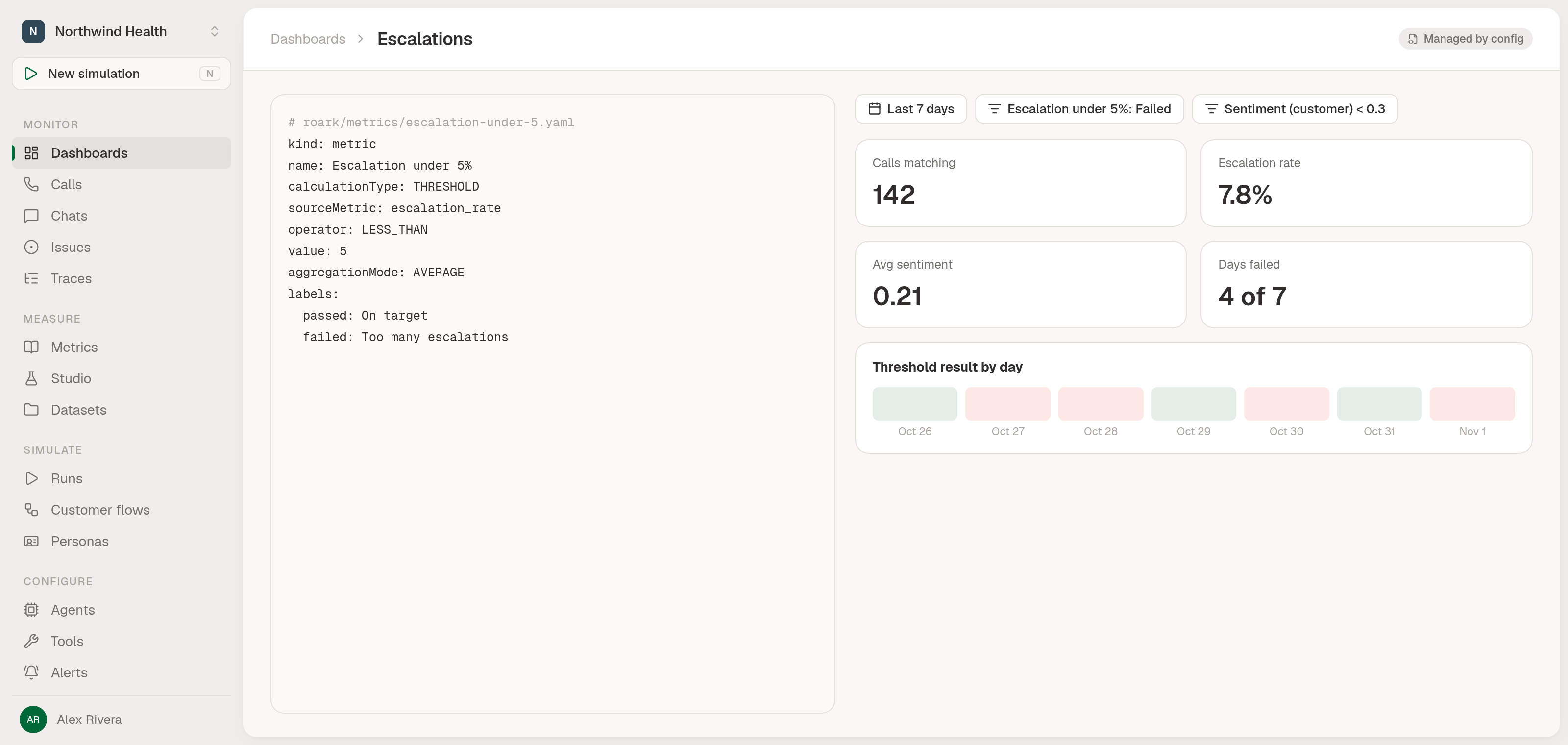
🧵 Thresholds and metric-value filters in config as code

Define thresholds in code and filter dashboards by any metric's value or by a threshold's pass or fail, same as in the app. Config as code now covers the whole surface.

Thresholds and metric-value filters in config as code

What you can do:

  • Thresholds in config bundles: including thresholds on thresholds, which apply in dependency order.
  • Filter dashboards and widgets on a metric's value: by metric slug, for the agent or customer side.
  • Filter by a threshold's pass or fail: on dashboards and widgets, matching how reports already work.

Keys: THRESHOLD, METRIC_VALUE, PASSED / FAILED.

👉 Read the config as code guide


04

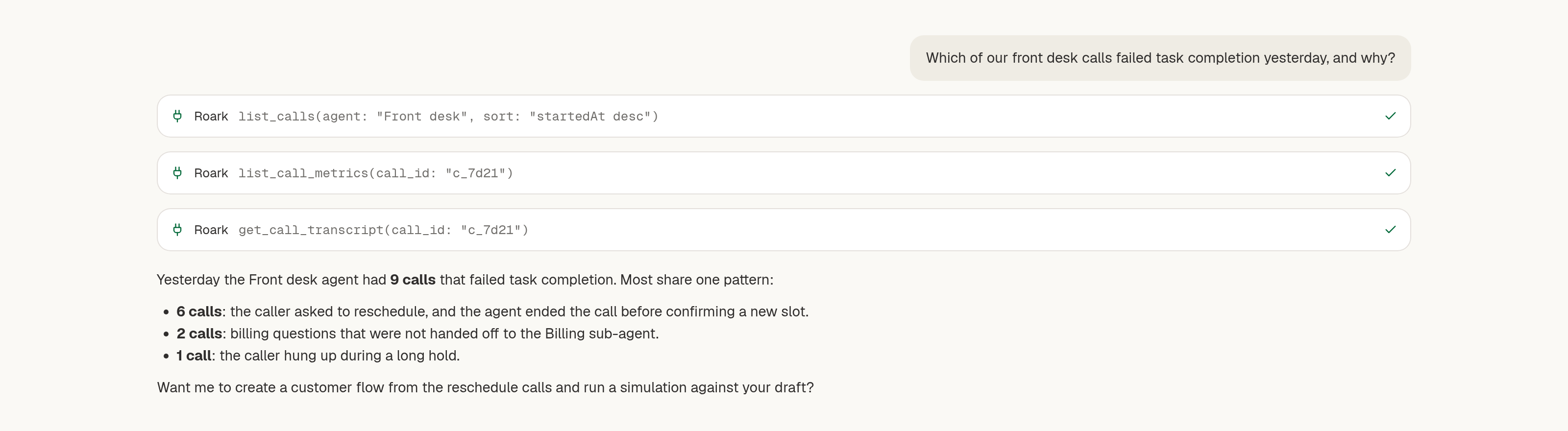
🔌 Named MCP tools for the Claude connector

Ask Claude about your calls, metrics and simulations, and have it create agents, personas and flows or run a simulation, through Roark's hosted MCP server at https://mcp.api.roark.ai/mcp. Named read and write tools replace the single execute, ready for Claude's connector directory.

Named MCP tools in the Claude connector

What's exposed:

  • Read: projects, agents, calls, transcripts, metrics, simulation results, personas, flows and docs.
  • Write: create agents, endpoints, personas and customer flows, and run simulations.

list_calls also gained agent, property and sort filters, so an assistant can slice a project's call history the same way the UI does.

👉 docs.roark.ai

From

James